ChatOllama
Prerequisite
- Download Ollama or run it on Docker.
-
For example, you can use the following command to spin up a Docker instance with llama3
docker run -d -v ollama:/root/.ollama -p 11434:11434 --name ollama ollama/ollama
docker exec -it ollama ollama run llama3
Setup
- Chat Models > drag ChatOllama node
.png)
- Fill in the model that is running on Ollama. For example:
llama2. You can also use additional parameters:
.png)
- Voila 🎉, you can now use ChatOllama node in Akilibot
.png)
Network reachability
If Ollama is not reachable from the public internet, expose it via a secure URL or tunnel that the platform can reach, then set the ChatOllama Base URL to that address. Do not use localhost addresses — the platform cannot resolve them.
.png)
Ollama Cloud
- Create an API key on ollama.com.
- In Akilibot, click Create Credential and select Ollama API, and enter your API Key.
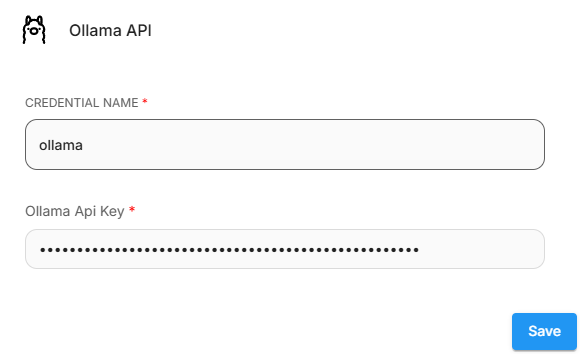
- Then, set the Base URL to
https://ollama.com - Enter the models that are available on Ollama Cloud.
.png)
Resources
- LangchainJS ChatOllama
- Ollama