AstraDB
Setup
- Register an account on AstraDB
- Login to portal. Create a Database
 (1) (1) (1) (1) (1) (1) (2) (1).png)
- Choose Serverless (Vector), fill in the Database name, Provider, and Region
 (1) (1) (1) (1) (1) (1) (2) (1) (1).png)
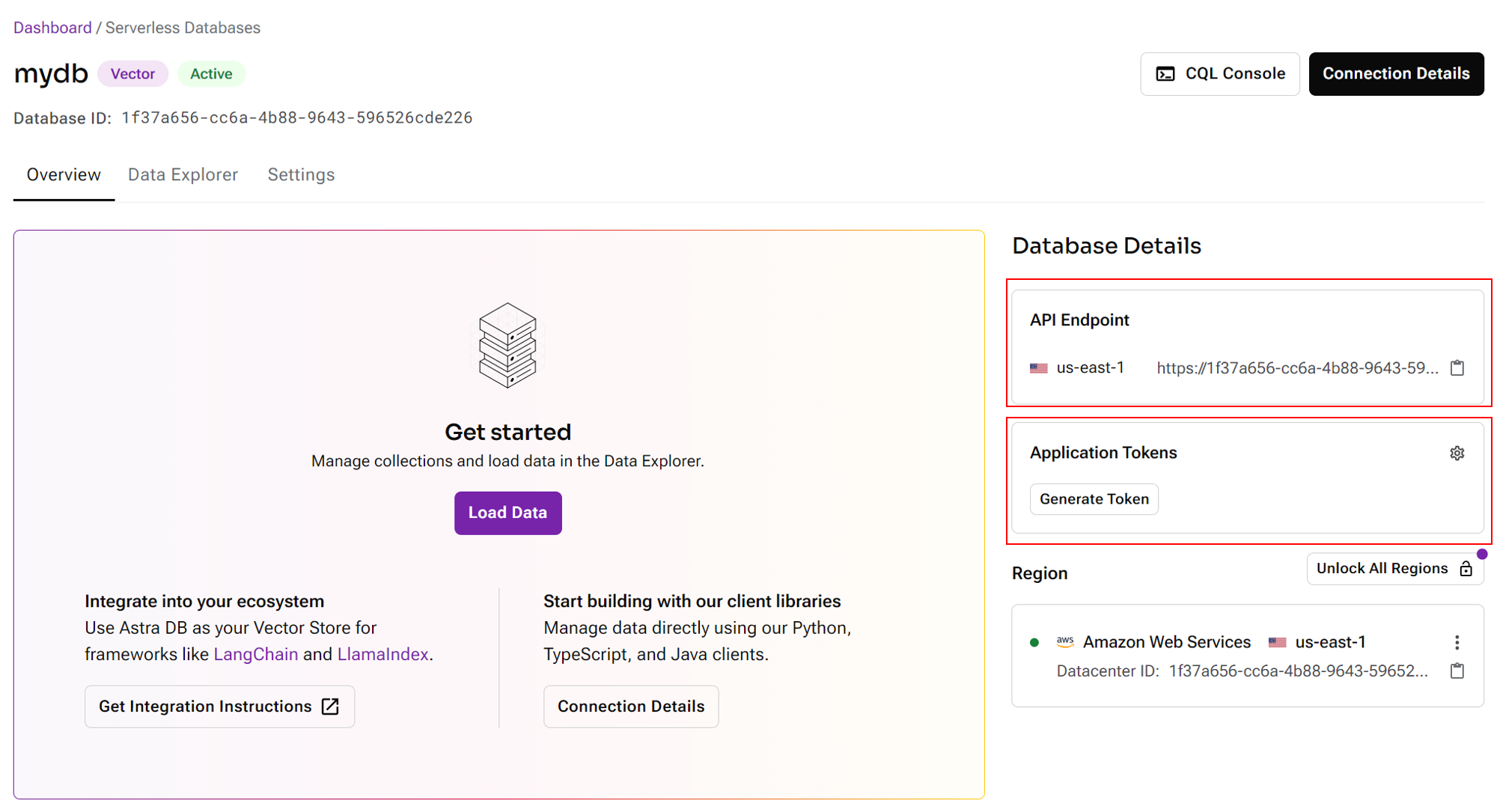
- After database has been setup, grab the API Endpoint, and generate Application Token
- Create a new collection, select the desired dimenstion and similarity metric:
 (1) (1) (1) (1) (2) (1).png)
- Back to Akilibot canvas, drag and drop Astra node. Click Create New from the Credentials dropdown:
 (1) (1) (1) (1) (2).png)
- Specify the API Endpoint and Application Token:
 (1) (1) (1) (1) (2).png)
- You can now upsert data to AstraDB
 (1) (1) (1) (1) (1) (1) (2) (2).png)
- Navigate back to Astra portal, and to your collection, you will be able to see all the data that has been upserted:
 (1) (1) (1) (1) (1) (2).png)
- Start querying!
 (1) (1) (1) (1) (1) (1) (1) (1) (1) (1).png)